Your Discord Server’s First 5 Minutes Matter More Than You Think
The first few minutes can determine whether a new member stays or leaves. Learn how better onboarding, clear navigation and real interaction can turn new Discord joins into active community members.
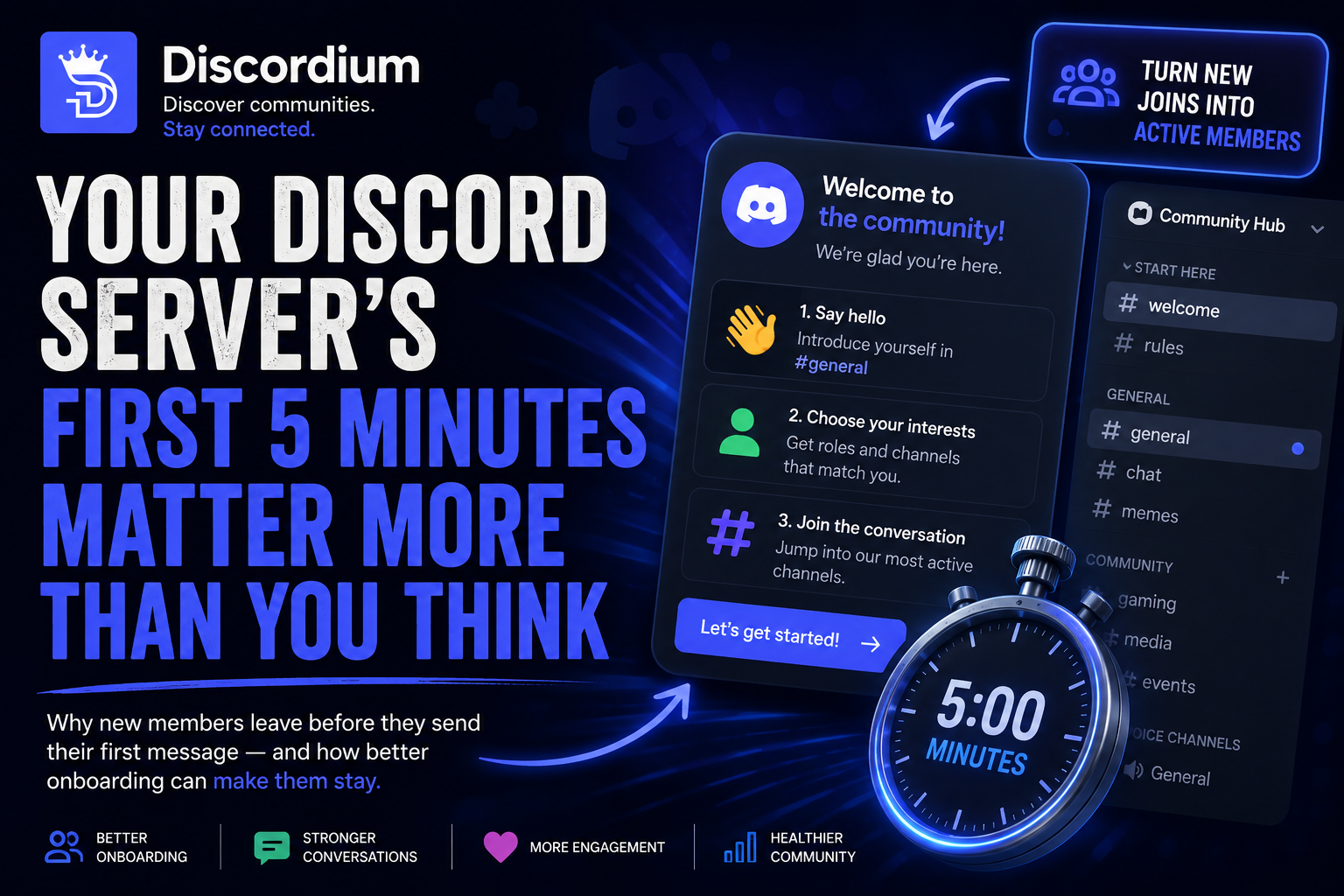
New members don't need hours to form an opinion about your Discord server. Sometimes, a few minutes are enough.
Someone discovers your community.
They read the description.
They click Join.
That's a success, right?
Not necessarily.
Getting someone through the door is only the beginning.
Now your server has to answer several questions almost immediately:
Where am I?
What is this community about?
Where should I go?
What am I allowed to do?
How do I start talking to people?
If those answers aren't obvious, a new member may simply leave.
Discord itself acknowledges this onboarding problem: new members can become confused by unfamiliar roles, bots and large numbers of channels, and its Community Onboarding tools are designed to help people find relevant channels and roles more easily. (Discord Support)
The first few minutes aren't about showing a new member everything your community has.
They're about giving them a reason to stay.
1. The First 30 Seconds
Imagine joining a Discord server you've never seen before.
Immediately, you're presented with:
Welcome messages.
Rules.
Roles.
Verification.
Announcements.
Bots.
Channels.
Categories.
Maybe there's even a DM waiting for you.
For an experienced Discord user, this might be manageable.
For someone newer to Discord, it can be overwhelming.
Your first objective shouldn't be:
“How much information can we show this person?”
It should be:
“How quickly can this person understand our community?”
A good first impression is simple.
A member should quickly understand what the server is about and what they can do next.
2. Too Much Information, Too Soon
Many communities try to explain everything immediately.
The welcome message becomes an instruction manual:
Welcome!
Read
#rules, then go to#roles, verify in#verification, check#information, read#faq, select notification roles, introduce yourself and make sure you read our announcements.
That's a lot to ask from someone who joined ten seconds ago.
Every additional mandatory action creates another opportunity for the member to stop.
This doesn't mean rules, verification or roles are bad.
It means you should distinguish between:
What members need right now
and
What members can discover later.
Discord's own onboarding guidance recommends keeping questions and answer options concise and avoiding too many choices because excessive options can overwhelm new members. (Discord Support)
Your onboarding should reduce complexity.
Not introduce more of it.
3. The “Where Do I Start?” Problem
One of the worst experiences for a new member is joining an active server and still feeling completely lost.
There might be thousands of members.
There might be conversations happening everywhere.
But the newcomer doesn't know where they belong.
They see:
#general
#community
#off-topic
#gaming
#media
#lounge
#chat
Which one should they use?
The problem isn't necessarily a lack of activity.
It's a lack of direction.
Your server should provide an obvious starting point.
For many communities, that's simply:
#general
Make your primary conversation area easy to find.
Discord recommends prioritizing active, useful and newcomer-friendly channels when choosing the channels presented to new members through Community Onboarding. (Discord Support)
Don't hide your community's best conversations behind five categories.
Show new members where the people are.
4. Your Welcome Message Actually Matters
Compare these two messages.
Welcome Message A
Welcome @NewMember!
That's friendly.
But it doesn't tell the person anything.
Now consider:
Welcome Message B
Welcome to the community, @NewMember! 👋
Start by saying hello in
#general.Looking for something specific? Choose your interests and we'll show you the channels that match them.
We're glad you're here.
Now the member has direction.
They know:
Where to go.
What to do.
What happens next.
Your welcome message doesn't need to explain the entire server.
It needs to create momentum.
5. Give Members One Easy First Action
A new member shouldn't need to make five decisions before they can participate.
Give them one easy action.
For example:
Say hello in
#general.
Or:
Choose what you're interested in.
Or:
Introduce yourself.
Or:
Vote in today's community poll.
The important part is that the action should be easy.
Not:
“Write a 10-sentence introduction using this template.”
Not:
“Select 14 roles before continuing.”
Not:
“Read every information channel first.”
The first action should require almost no effort.
Why?
Because participation changes the relationship between the user and the community.
They aren't just looking at your server anymore.
They're participating in it.
6. Don't Turn Verification Into an Obstacle Course
Security matters.
Spam prevention matters.
Protecting members matters.
But verification can become so complicated that legitimate users leave before they ever reach the community.
Consider this:
Join
↓
Read rules
↓
React
↓
Complete CAPTCHA
↓
Visit website
↓
Connect Discord
↓
Choose roles
↓
Wait
↓
Finally access #general
That's a lot of friction.
Discord's Community Onboarding documentation specifically advises server administrators to remove verification steps that overwhelm or block new members unnecessarily. (Discord Support)
Verification should answer:
“Are you probably a legitimate user?”
It shouldn't feel like:
“Prove that you deserve access to our server.”
Use the security measures your community actually needs.
But regularly ask whether every step is still necessary.
7. Show Members Where the Activity Is
Imagine entering a party.
There are ten rooms.
Nine are empty.
One contains everyone.
But nobody tells you which one.
That's what some Discord servers feel like.
New members shouldn't have to search for the community.
Show them where conversations happen.
Discord recommends that Default Channels in Community Onboarding generally include the most popular and valuable channels that new members should see. (Discord Support)
That could include:
#general
#questions
#polls
#looking-for-group
or whatever represents the heart of your community.
Your most active channels are social proof.
They show newcomers:
People actually talk here.
8. Personalize Without Overwhelming
Not every member needs every channel.
Someone interested in Minecraft may not care about Valorant.
Someone interested in development may not want notifications about community gaming events.
This is where personalization becomes useful.
Instead of displaying everything immediately, ask simple questions.
What are you interested in?
🎮 Gaming
💻 Development
🎨 Creative
💬 Community
What games do you play?
Minecraft
Valorant
Fortnite
Roblox
The member chooses.
Then relevant channels and roles become available.
Discord's Community Onboarding supports exactly this kind of channel and role personalization, allowing members to answer questions and receive a more relevant channel list. (Discord Support)
But don't turn personalization into another questionnaire.
Discord's own examples recommend limiting options and splitting overly long questions into simpler ones. (Discord Support)
Personalization should make the server simpler.
9. Make Someone Feel Noticed
Automation is useful.
Bots can welcome people.
Bots can assign roles.
Bots can provide information.
Bots can verify accounts.
But there's something a bot can't completely replace:
Another person acknowledging that you arrived.
Imagine this interaction:
NewMember: hey everyone
Member: hey! welcome 👋
NewMember: thanks :)
Member: what brought you here?
NewMember: saw the server and thought it looked cool
That's already a conversation.
Compare that with:
BOT: Welcome NewMember!
BOT: You are member #8,421.
BOT: Read the rules.
BOT: Select your roles.
BOT: Level 1 achieved.
Technically, the second server has more onboarding.
Socially, the first one may feel more welcoming.
Automation should help people connect.
It shouldn't become the connection itself.
10. Give New Members Something to Talk About
Sometimes members don't speak because they don't know what to say.
You can help.
Instead of expecting:
“Hello everyone, please start a conversation.”
Give people opportunities to respond.
Try things like:
Daily Questions
What's a game you could play for 1,000 hours?
Polls
PC, PlayStation, Xbox or Switch?
Community Discussions
What Discord feature would you change if you could?
Introductions
What brought you to this community?
The goal isn't to force engagement.
It's to make starting a conversation easier.
11. Don't Make Roles Feel Like Settings Menus
Roles are useful.
They can control:
channel access
notifications
interests
colors
community features
But some servers present new members with enormous role menus.
Choose your:
Age
Region
Platform
Games
Notifications
Pronouns
Colors
Interests
Events
Ping preferences
Level
Favorite pizza topping
Suddenly joining a community feels like configuring software.
Ask yourself:
Does the member need to choose this right now?
If not, let them do it later.
Discord's onboarding system allows admins to reserve non-urgent customization questions for the Channels & Roles area instead of forcing every question before joining. (Discord Support)
That's an important principle even if you don't use Discord's built-in onboarding:
Ask only what's necessary.
12. Rules Should Be Understandable
Rules matter.
But there's a difference between:
Clear community rules
and
A legal document pretending to be community rules.
Most members need to understand the basics quickly.
For example:
1. Respect other members.
2. No harassment or hate speech.
3. No NSFW content.
4. No spam or scams.
5. Follow Discord's rules.
Your community may require more detailed policies.
That's fine.
But the most important expectations should still be understandable at a glance.
A member shouldn't need 20 minutes to understand whether they're allowed to say hello.
13. Use Your Server Guide
For Community servers, Discord's Server Guide can provide a more structured onboarding experience.
Admins can configure a welcome sign, resources and 3–5 tasks designed to help new members start interacting with the community. (Discord Support)
That's useful because onboarding becomes a journey instead of a wall of information.
For example:
Welcome 👋
We're a community for gamers, creators and people looking for new communities.
GET STARTED
1. Read the community rules
2. Choose your interests
3. Say hello in #general
4. Check today's discussion
That's understandable.
The member knows what to do.
14. Your Server Should Pass the Stranger Test
There's an easy way to evaluate your onboarding:
Pretend you know nothing about your server.
Better yet, ask someone who genuinely knows nothing about it.
Send them an invite.
Don't explain anything.
Watch what happens.
Can they figure out:
What the server is about?
Where the rules are?
Where to talk?
How to access relevant channels?
What to do first?
If they immediately start asking you for directions, that's valuable information.
The problem isn't that the user is stupid.
The interface simply didn't answer their questions.
15. The Perfect First 5 Minutes
There isn't one perfect onboarding system for every Discord community.
But a strong experience might look something like this:
00:00 — JOIN
The member enters the server.
They immediately understand the community's purpose.
↓
00:30 — UNDERSTAND
They see a short welcome message and clear rules.
↓
01:00 — PERSONALIZE
They choose a few relevant interests or channels.
↓
02:00 — DISCOVER
They're directed toward the community's most useful and active spaces.
↓
03:00 — INTERACT
They answer a poll, introduce themselves or say hello.
↓
04:00 — RESPONSE
Another community member acknowledges them.
↓
05:00 — BELONG
They're no longer just another join notification.
They're part of a conversation.
JOIN → UNDERSTAND → CHOOSE → DISCOVER → INTERACT → BELONG
That's what good onboarding should accomplish.
Don't Optimize Only for Joins
Community growth is often measured using numbers.
100 joins.
1,000 members.
10,000 members.
Those numbers look impressive.
But another question matters more:
How many people actually stay?
Getting someone to click an invite is marketing.
Getting them to understand the community is onboarding.
Getting them to participate is engagement.
Getting them to return is retention.
You need all four.
A server with 2,000 members and 200 people who genuinely participate may have a stronger community than one with 20,000 members where almost nobody talks.
Member count isn't community health.
Your First Impression Is Part of Your Community
Your server icon matters.
Your description matters.
Your channels matter.
Your rules matter.
Your bots matter.
But ultimately, new members are looking for something much simpler:
A reason to stay.
Don't overwhelm them with everything your server can do.
Show them what matters.
Give them somewhere obvious to go.
Give them something easy to do.
And most importantly:
Give them people worth talking to.
Because your first five minutes aren't really about onboarding someone into a Discord server.
They're about turning a stranger into a member of your community.
Discordium — Discover communities worth staying for.