The Hidden Dangers of Discord DMs
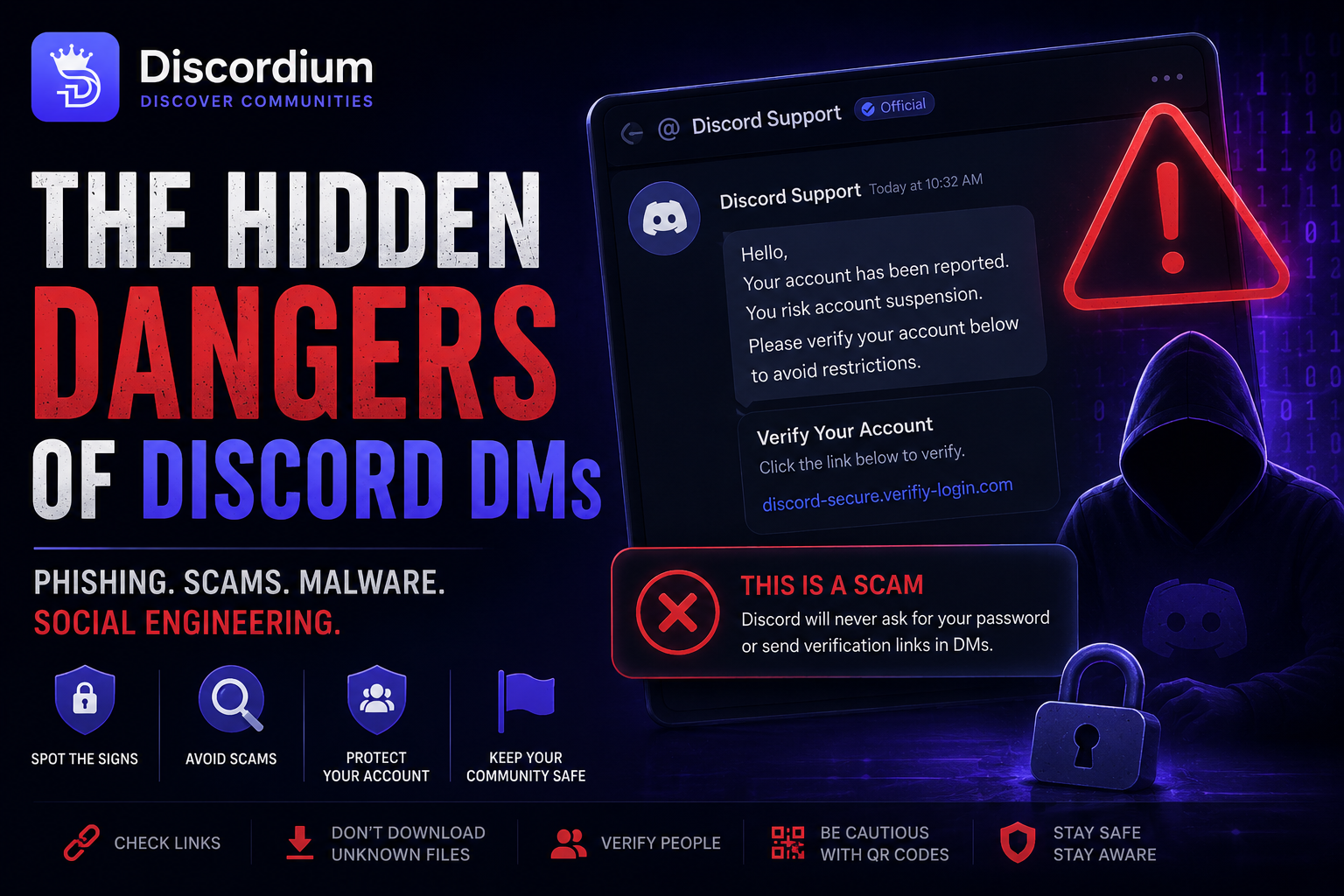
Discord DMs can be used for phishing, fake support scams, malicious downloads and social engineering. Learn how these attacks work, how to recognize the warning signs and how to protect your Discord account.
The Hidden Dangers of Discord DMs
How phishing, fake staff, malicious downloads and social engineering turn ordinary Discord messages into security threats.
A Discord DM can look completely harmless.
A new message appears. Someone says hello. Maybe they claim to be a moderator, offer you free Nitro, ask you to test their new game or tell you that your account has been reported.
Sometimes, it's exactly what it looks like.
Sometimes, it's the beginning of a scam.
Direct messages give attackers something extremely valuable: a private conversation with their target.
There may be no moderators watching, no community members questioning suspicious claims and nobody warning you before you click.
Modern scams aren't always obvious either. Many rely on trust, urgency, impersonation and social engineering rather than sophisticated technical attacks.
🛡️ SECURITY RULE
An urgent message from someone you trust can still be malicious.
Verify first. Act second.
🚨 1. “I accidentally reported your account”
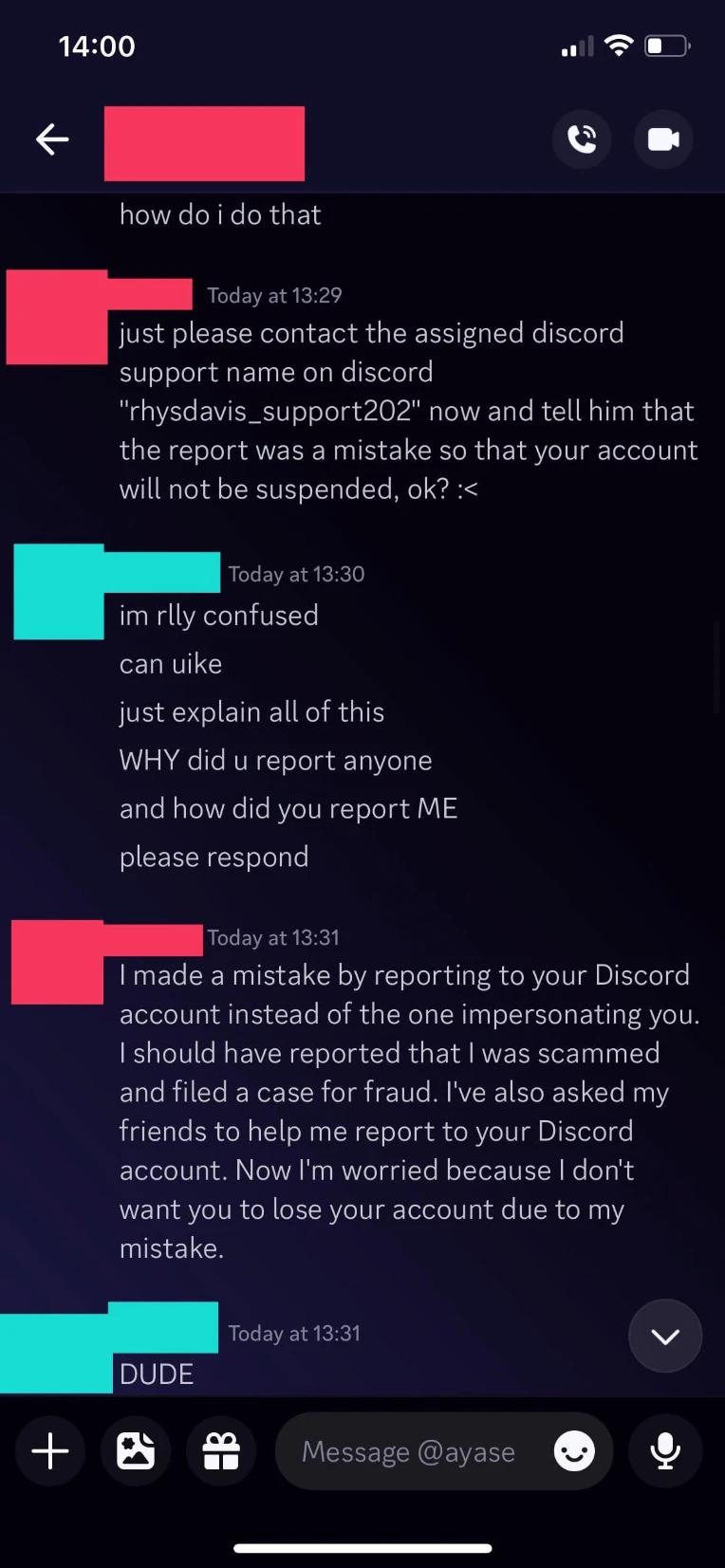
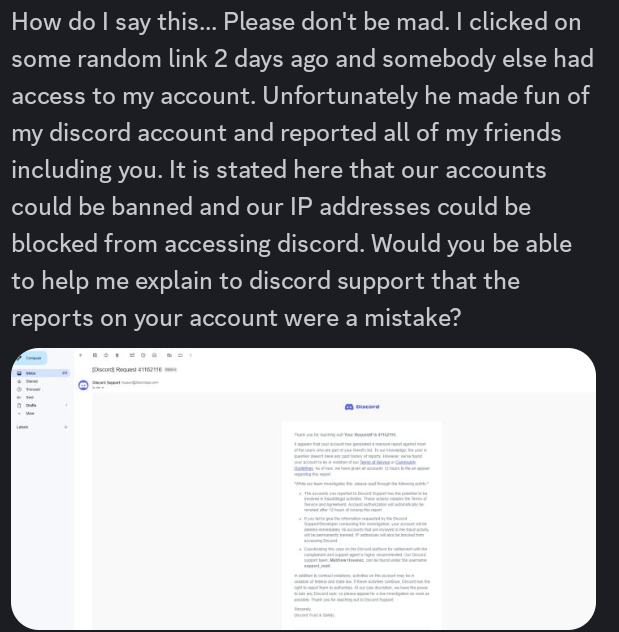
One common approach begins with someone claiming they accidentally reported your Discord account.
They might apologize and tell you that the report was for fraud, scamming or another serious violation.
Then comes the frightening part:
Your account could supposedly be suspended unless you contact a specific Discord employee.
The attacker may provide another Discord account for you to contact. That account might use professional branding, security terminology or even a fake case number.
What it can look like
👤 Unknown User
“Hey, I'm really sorry. I accidentally reported your account for scamming.”
“Discord told me you need to contact this employee immediately or your account could be suspended.”
⚠️ SCAM WARNING
This is an example of the type of message you may encounter. Do not follow support instructions simply because they arrived through a convincing DM.
Warning signs
🔴 Unexpected report claim
🔴 Threat of account suspension
🔴 Redirected to another Discord user
🔴 Fake case or ticket numbers
🔴 Pressure to act immediately
🔴 Requests for sensitive information
The goal is to make you panic before you have time to question what's happening.
Never prove ownership of your account by giving passwords, authentication codes or other sensitive information to someone through a Discord DM.
🎭 2. Fake Discord Staff
Scammers can make accounts look surprisingly professional.
A staff-related username, profile picture, biography or technical language does not automatically prove that someone works for Discord.
Example
🛡️ Discord Security Support
Bio:
Official Account • Trust & Safety💬 “Your account is currently under investigation.”
💬 “Please complete verification to prevent account suspension.”
⚠️ PROFESSIONAL-LOOKING ≠ OFFICIAL
Attackers may impersonate departments such as:
Discord Support
Trust & Safety
Security
Fraud Prevention
Moderation
Developer Support
Their objective is simple:
Establish authority before asking you to do something dangerous.
Never rely solely on the profile of the person contacting you. Verify unusual support requests independently through Discord's official resources.
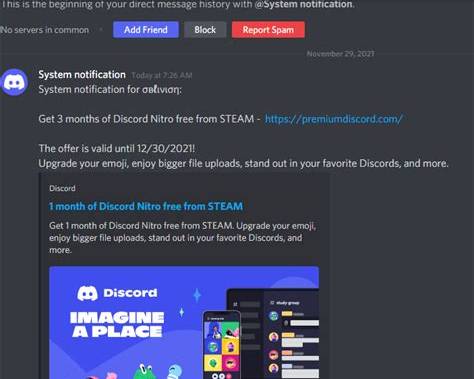
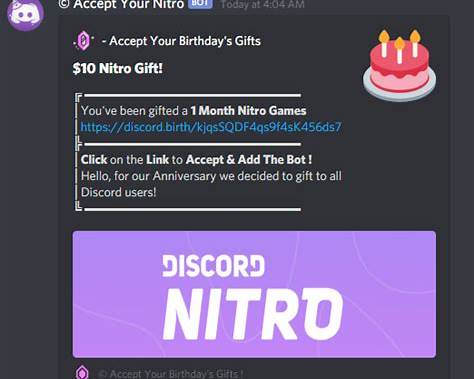
🎁 3. Fake Nitro Links
Who doesn't like free Nitro?
Attackers know that.
A DM might tell you:
🎁 FREE NITRO
Congratulations!
You received 12 months of Discord Nitro.
[ CLAIM NOW ]
⏱️ Expires in 09:58
It can look convincing.
The page behind the link may also imitate Discord's:
colors
logos
buttons
login screens
gift pages
general design
But visual design doesn't determine whether a website is legitimate.
❌ Suspicious example
🎁 FREE NITRO
12 MONTHS FREE
⏱️ Claim within 10 minutes
🔗
discord-nitro-gift.exampleLOGIN TO CLAIM
🚩 Unexpected reward
🚩 Urgent countdown
🚩 Unknown domain
🚩 Login requested
✅ A safer response
🛑 STOP
→ Check the sender
→ Inspect the destination
→ Check the domain
→ Don't enter credentials
→ Verify independently
🔐 SECURITY TIP
Attackers can copy logos, colors and website layouts.
The domain matters more than the design.
👥 4. When the scam comes from a friend
This is where phishing becomes significantly more convincing.
Imagine receiving this from an unknown account:
“bro is this you?? 😭”
🔗
suspicious-link.example
You might immediately become suspicious.
But what happens when the same message comes from someone you've been talking to for two years?
You're much more likely to trust it.
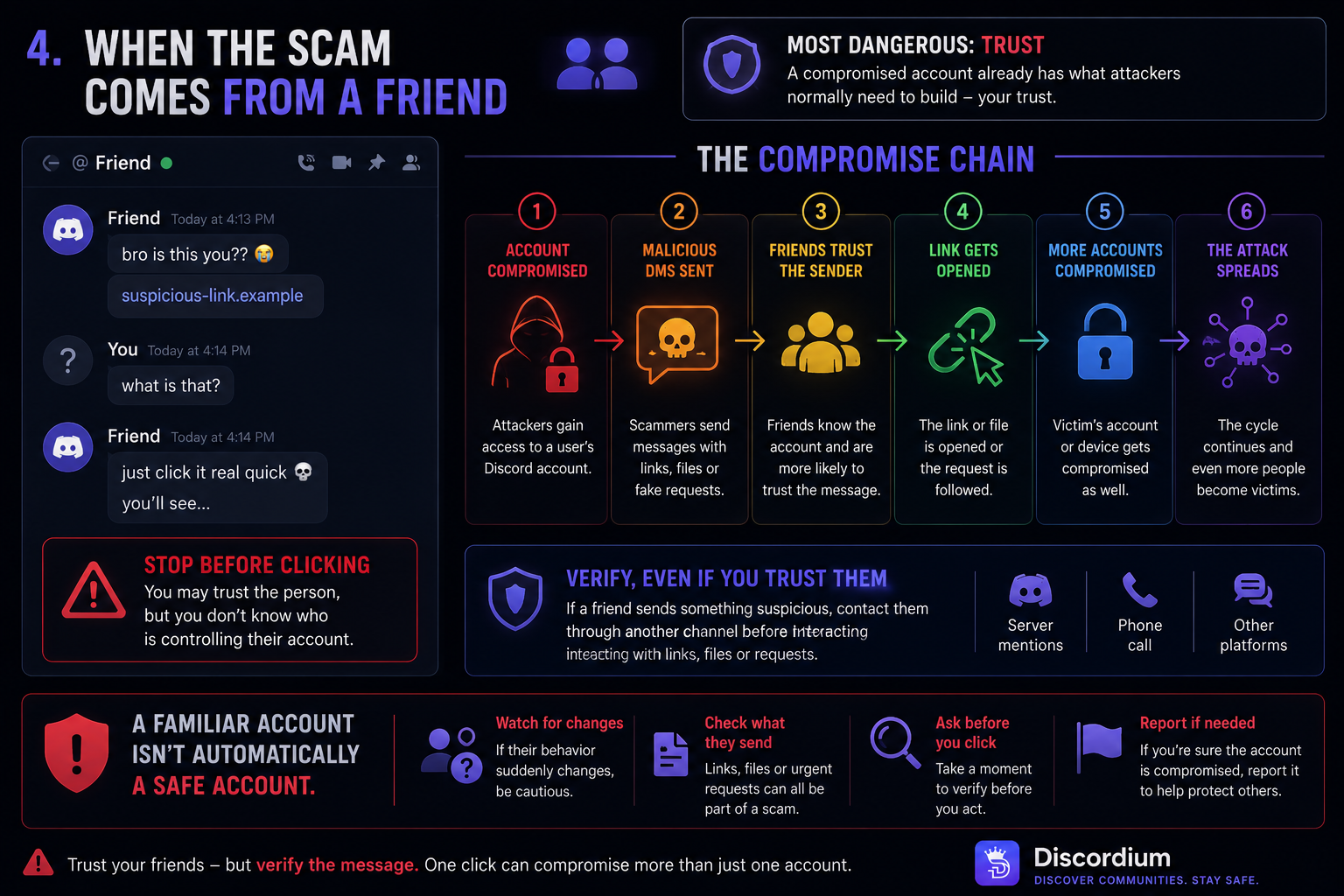
⚠️ What it can look like
👤 Friend
Friend: bro is this you?? 😭
🔗
suspicious-link.exampleYou: what??
Friend: just look 💀
🛑 STOP BEFORE CLICKING
You may trust the person, but you don't know whether they're currently controlling their account.
Attackers can exploit existing relationships after compromising an account.
The compromise chain
👤 Account compromised
↓
💬 Malicious DMs sent
↓
👥 Friends trust the sender
↓
🔗 Link gets opened
↓
🔑 Another account is targeted
↓
🚨 The attack spreads
Trust your friend.
Don't automatically trust every message sent from their account.
If their behavior suddenly changes, verify that you're actually talking to them.
💾 5. “Can you test my game?”
This attack can sound completely innocent.
Someone you've spoken with before says:
🎮 Friend
“Hey! I've been developing this game for a few months.”
“Could you test it for me?”
📦
NewGame.exe[ DOWNLOAD ]
⚠️ UNKNOWN EXECUTABLE — VERIFY BEFORE OPENING
They may claim the file is:
an indie game
a Discord bot
a mod
a development build
a utility
another personal project
The download may instead contain malicious software.
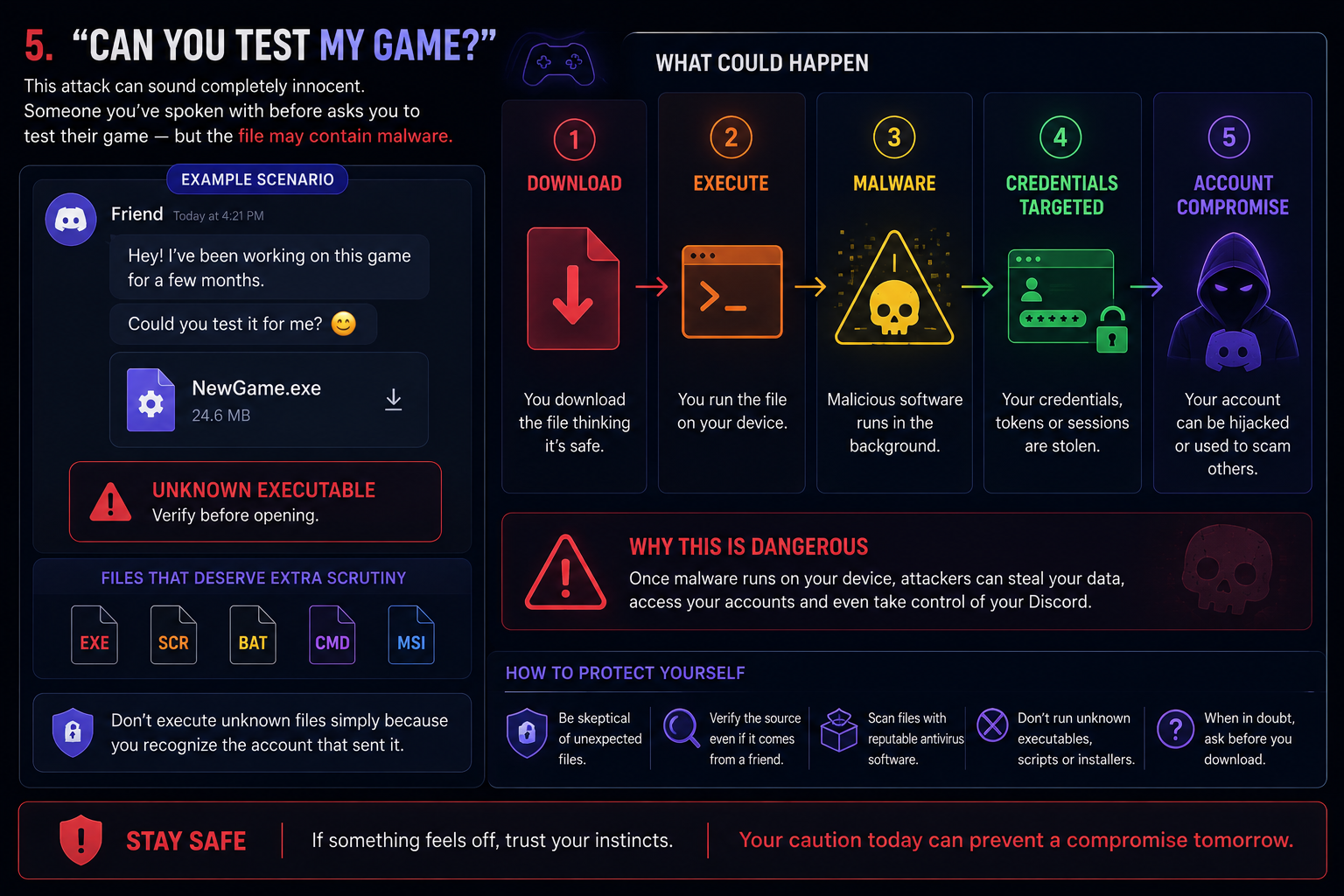
What could happen
📥 Download
↓
▶️ Execute
↓
🦠 Malicious software runs
↓
🔑 Credentials or sessions targeted
↓
🚨 Account compromise
Files that deserve additional scrutiny
EXE • SCR • BAT • CMD • MSI
These formats are not automatically malicious.
But receiving an unexpected executable file should make you more cautious.
Don't execute unknown software simply because you recognize the account that sent it.
📱 6. Suspicious QR Codes
Not every phishing attempt needs your password.
QR codes can also be abused.
Imagine receiving this:
📱 VERIFY YOUR ACCOUNT
▓▓ ░░ ▓▓ ▓▓ ░░
░░ ▓▓ ░░ ▓▓ ▓▓
▓▓ ▓▓ ░░ ░░ ▓▓Scan this QR code to verify your Discord account.
⛔ DON'T SCAN YET
Someone might claim the QR code is required to:
verify your account
receive Nitro
unlock server access
join an event
confirm ownership
complete a security check
A QR code can hide the destination or action from immediate view.
Treat unexpected QR codes with the same caution as unexpected links.
⏱️ 7. Urgency is a weapon
Scammers want decisions.
They don't want investigation.
That's why malicious messages often contain statements such as:
🚨 YOUR ACCOUNT WILL BE DELETED
⏱️ 10:00
“Complete verification immediately.”
STOP.
Urgency should make you MORE cautious — not less.
Watch for phrases such as:
“ACT NOW” • “FINAL WARNING” • “10 MINUTES LEFT” • “VERIFY IMMEDIATELY” • “DO NOT CONTACT ANYONE”
Attackers want you reacting emotionally instead of checking whether their story makes sense.
If someone creates artificial urgency:
Slow down.
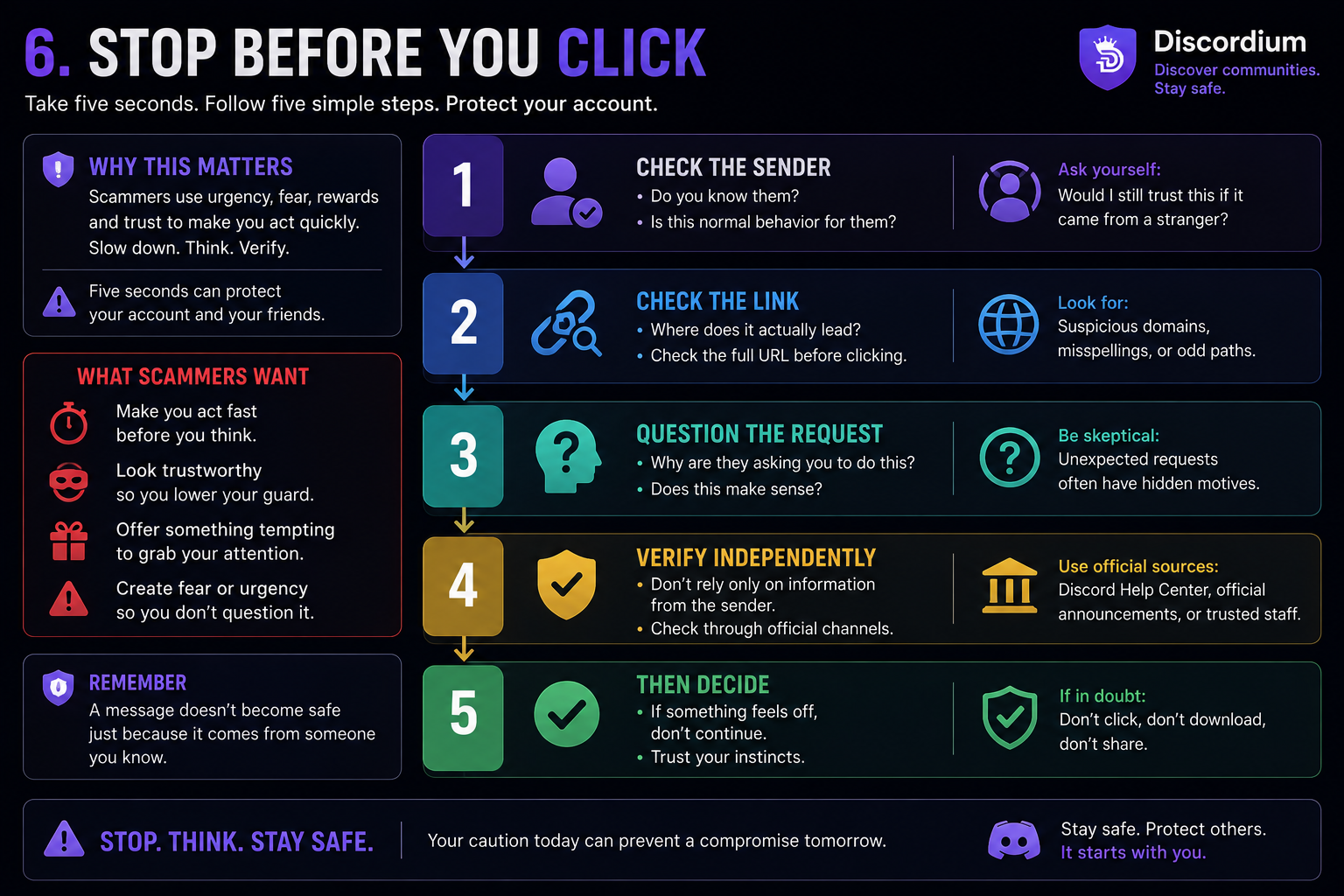
🛑 STOP BEFORE YOU CLICK
Before interacting with an unexpected Discord DM, take five seconds.
🛑 STOP
👤 1 — CHECK THE SENDER
Do you know them?
Is this normal behavior for them?
↓
🔗 2 — CHECK THE LINK
Where does it actually lead?
↓
🧠 3 — QUESTION THE REQUEST
Why are they asking you to do this?
↓
🔍 4 — VERIFY INDEPENDENTLY
Don't rely only on information supplied by the suspicious sender.
↓
✅ 5 — THEN DECIDE
If something still feels wrong, don't continue.
Five seconds can protect your account.
🔐 8. Never share these
Some information should remain private regardless of who is asking.
🔐 PRIVATE MEANS PRIVATE
PASSWORD
❌ NEVER SHARE
MFA / 2FA CODE
❌ NEVER SHARE
BACKUP CODES
❌ NEVER SHARE
SESSION INFORMATION
❌ NEVER SHARE
LOGIN CREDENTIALS
❌ NEVER SHARE
Someone claiming to work in support doesn't make sharing these details safe.
If someone tells you they need your password or authentication code to protect your account:
Stop the conversation.
🧠 9. Social engineering: when you are the target
Not every attacker needs to defeat a security system.
Sometimes they only need to convince you to defeat it for them.
That's social engineering.
Instead of attacking technology directly, the attacker manipulates the person using it.
Technique | What it might look like |
|---|---|
😨 Fear | “Your account will be banned.” |
🎁 Reward | “You've won Nitro!” |
🤝 Trust | “Hey, remember me?” |
👮 Authority | “I'm Discord Support.” |
👀 Curiosity | “Is this you in this video?” |
🎮 Opportunity | “Can you test my game?” |
Different stories. Same objective.
Make you act before you think.
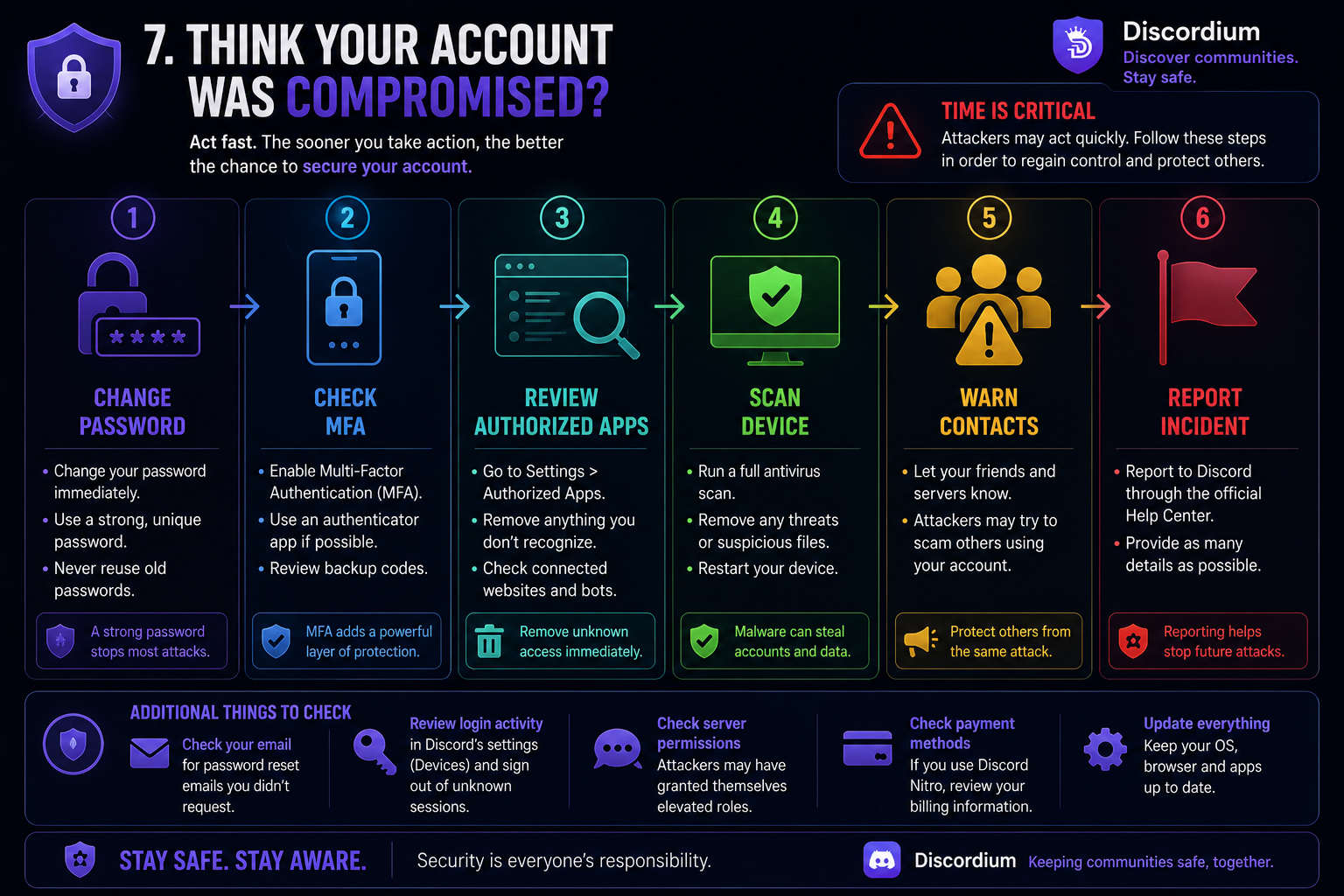
🚨 Think your account was compromised?
First:
Don't ignore it.
Simply seeing a suspicious message doesn't mean your account has been compromised.
The situation becomes more serious if you:
entered credentials on a suspicious website
authorized an unknown application
scanned an unexpected authentication QR code
shared authentication information
downloaded and executed an unknown file
If any of these happened, consider taking action immediately.
🔑 01 — CHANGE YOUR PASSWORD
Change your Discord password, particularly if you entered it on a suspicious website.
Use a strong and unique password.
↓
🔐 02 — CHECK MFA
Review your multi-factor authentication settings.
Make sure they haven't been unexpectedly changed.
↓
🔌 03 — REVIEW AUTHORIZED APPS
Check applications connected to your account.
Remove anything you don't recognize or no longer trust.
↓
🛡️ 04 — SCAN YOUR DEVICE
This is particularly important if you executed an unknown file.
Use reputable security software to check the device.
↓
👥 05 — WARN YOUR CONTACTS
If suspicious messages were sent from your account, warn your friends and communities.
They may be the attacker's next targets.
↓
🚩 06 — REPORT THE INCIDENT
Use official reporting and support resources when necessary.
If the compromised password was reused on other services, change it there as well.
🏠 Server owners have a responsibility too
DM scams aren't only an individual user problem.
Community owners and moderators can help protect their members.
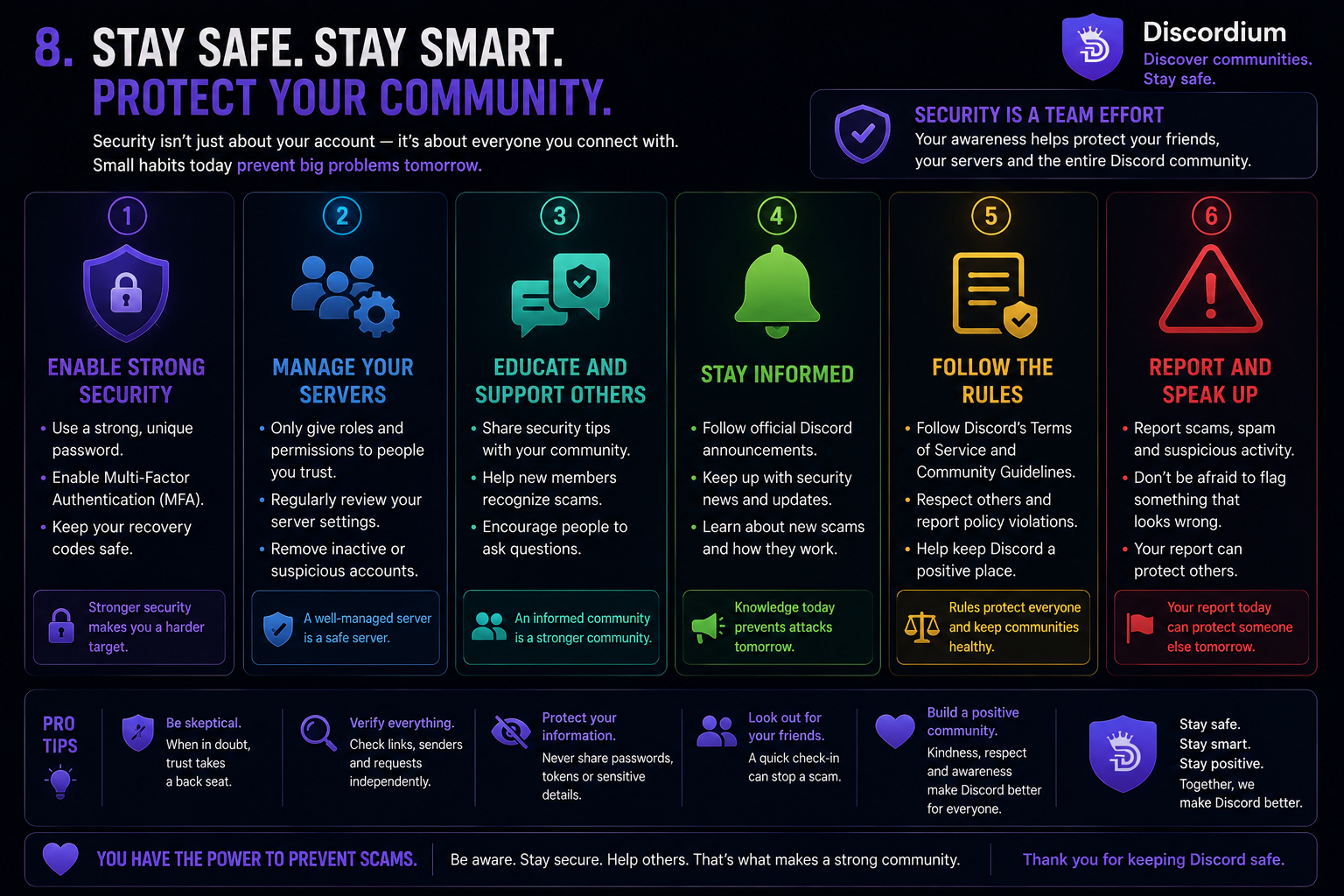
Make security awareness part of your community.
Warn members when a new scam campaign begins appearing.
Explain how your staff communicates with members.
Make it clear that moderators will never ask members for passwords or authentication codes.
And if a compromised account begins spreading malicious content:
Respond quickly.
One security announcement could prevent dozens of people from becoming victims.
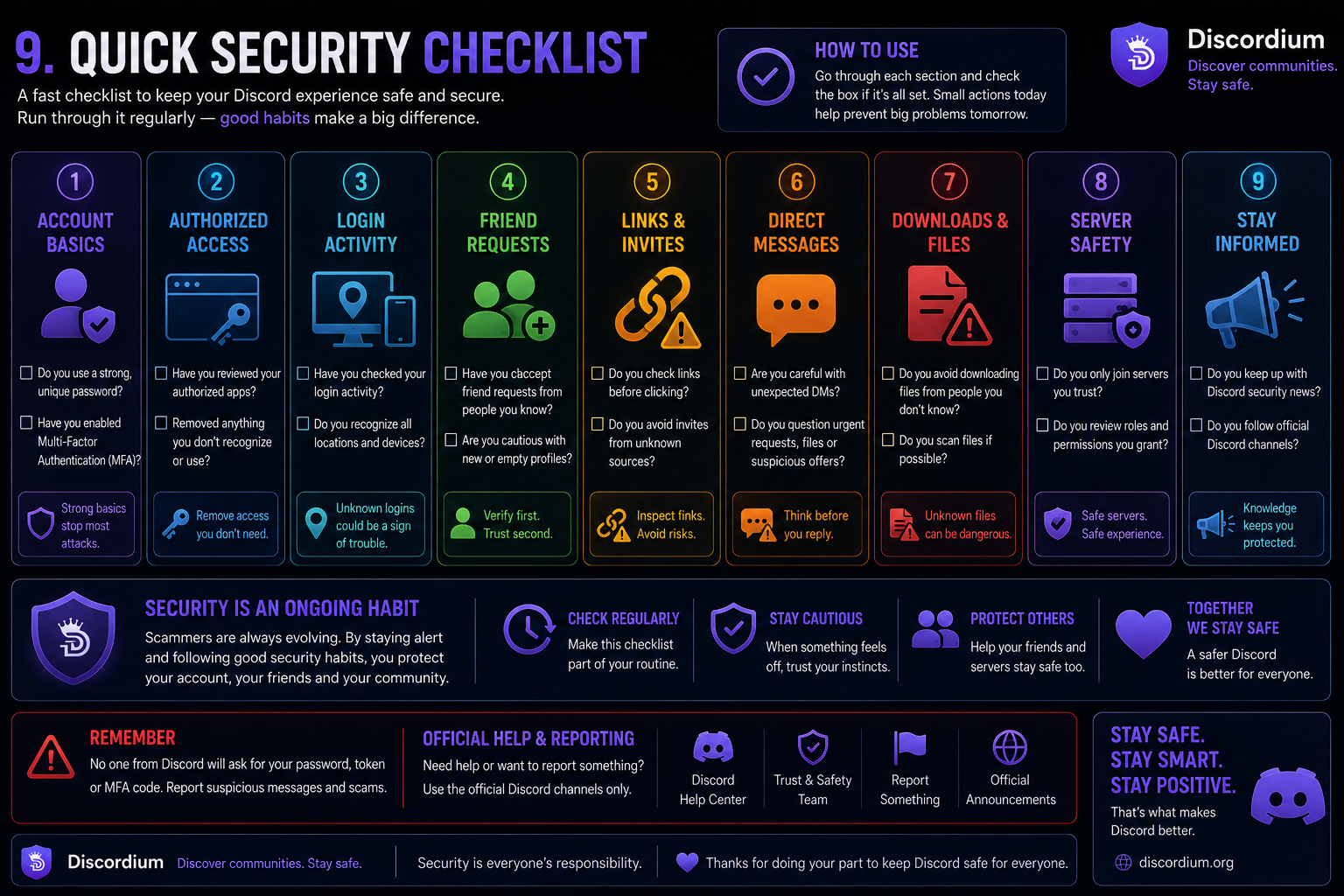
🔎 Five questions before trusting a Discord DM
Before clicking, downloading, scanning or authenticating, ask yourself:
1. Do I know this person?
2. Was I expecting this message?
3. Why do they need me to act immediately?
4. Where does this link actually lead?
5. Would this request still make sense if it came from a stranger?
If something doesn't add up:
Stop and verify.
Five seconds can protect your account
Before interacting with a suspicious Discord DM:
🛑 STOP → 🔍 CHECK → 🧠 QUESTION → 🛡️ VERIFY → ✅ ACT
A message doesn't become trustworthy because it comes from a familiar account.
A website doesn't become legitimate because it looks professional.
A person doesn't become Discord staff because their profile says they are.
And a request doesn't become genuine because someone tells you it's urgent.
Don't panic. Don't rush. Verify first.
Discord communities are built on trust.
Protecting that trust requires users, moderators and platforms to take security seriously.
Discordium Security
Discover communities. Stay safe while doing it.